Design real components
Not mockups

Build complex UI components visually. Export clean code your team can integrate

See it in action

Free 30-day trial. No credit card required.

One component. Multiple states.

Built for designers who build components

Where reusable UI components are born.

Design the full lifecycle of a component

Idle, hover, focus, loading, success. One timeline where every state connects — so you can update any of them without losing sync.

Motion that stays consistent

Define transitions visually with easing, duration and delay. Keep every animation on brand without scattered timing values.

Microinteractions built in

Click, hover, loading, success — design the feedback loop, not just the static frame. Every interaction feels intentional.

Hand off UI code your team can own

Clean, framework-ready UI code with no proprietary runtime. What you design is the starting point your developers can adapt.

How it works

From idea to interactive component in three steps.
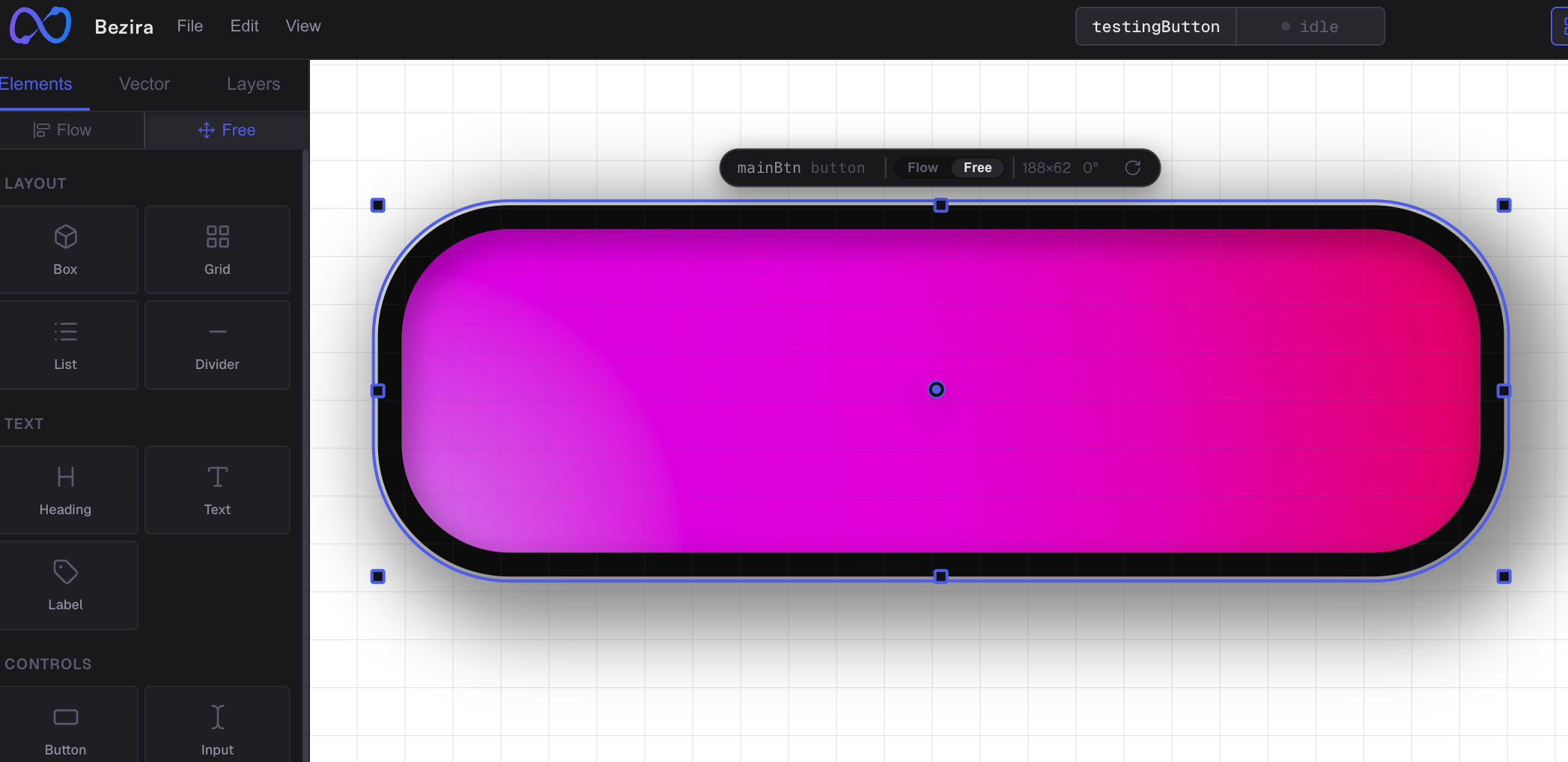
Bezira canvas with layers and a component being designed

Build and design

Add layout, text, and controls. Arrange them like the design tools you already know.
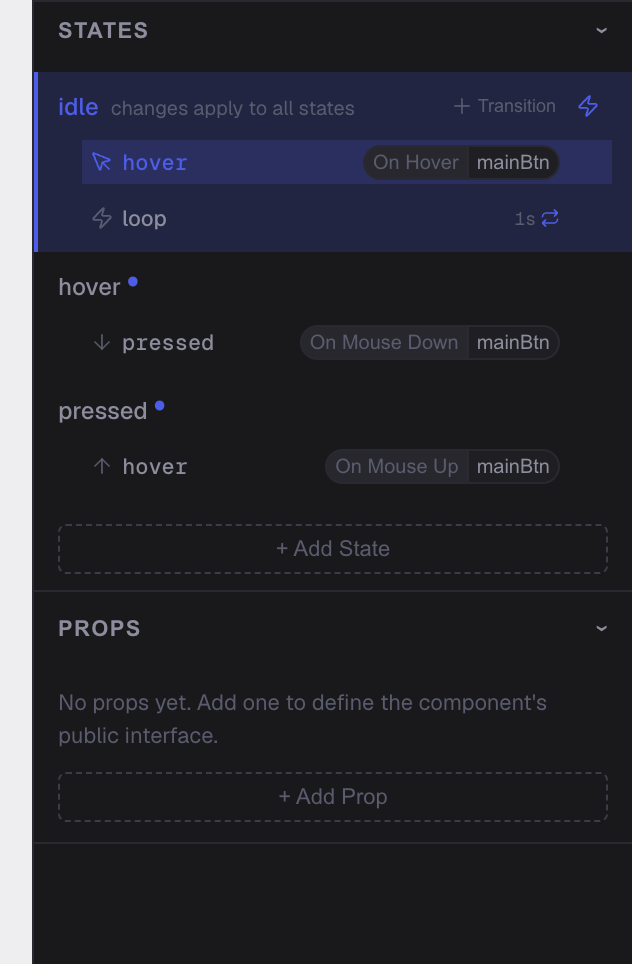
Bezira state overrides panel showing hover and focus states

Define states, triggers and props

Define what happens on hover, focus, click, and loading. Every trigger gets its own state.
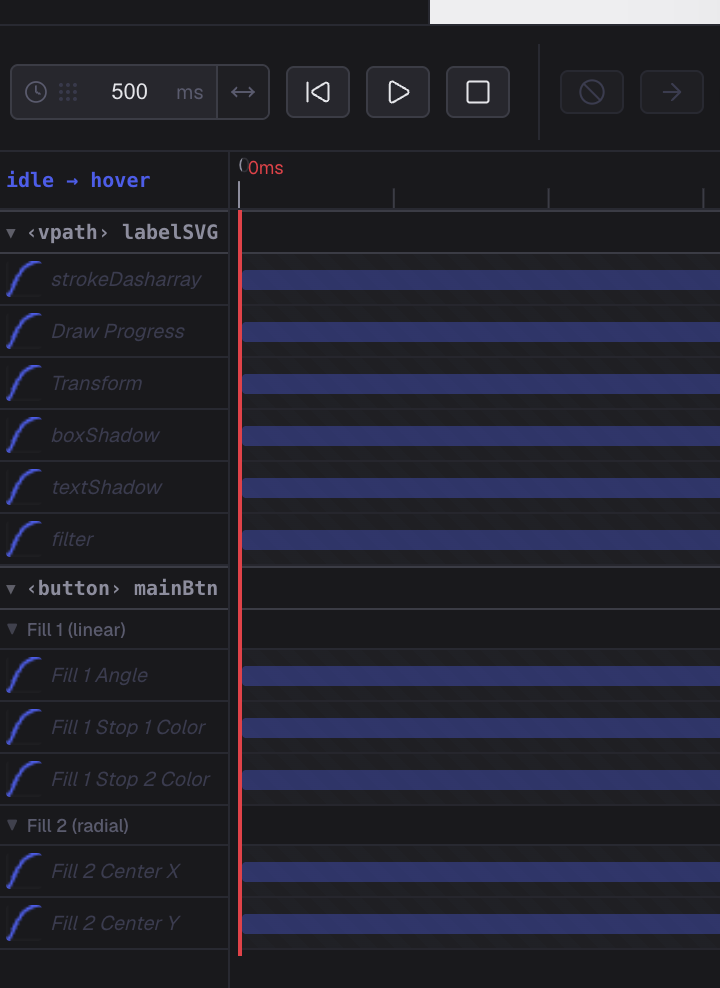
Bezira animation timeline with keyframes and easing

Animate and export

Add transitions or let Bezira interpolate them. Then export code your team can use.

Everything you need to design real components

Not another design tool. A component builder that thinks in behavior.

Component-first workflow

A focused canvas for one component at a time. No page clutter, just the behavior you want to design.

AI assistant

Describe what you need, then keep iterating your component through chat.

Real-time preview

See exactly how your component behaves while you edit, not after you export.

Clean code export

Export to React, Vue, Angular or plain HTML/CSS. No lock-in, no runtime dependencies.

Animation timeline

A visual timeline for every state transition. Tweak timing without editing code.

Design tokens

Keep colors, spacing and typography consistent across every component.

Questions? Answered.

Everything you need to know before you start.

Do I need to know how to code?

No. Bezira is built for product designers. You design states, transitions and components visually. Code is generated only when you export.

Can I build more than just buttons and inputs?

Yes. From simple buttons to multi-state cards, navbars and complex widgets — if it has states and interactions, you can design it in Bezira.

How does pricing work?

Start free with a 30-day trial — no credit card. After that, Pro is $5/month and includes 25 AI credits (1 credit = 1 AI generation). Need more? Top up credits anytime. Clean code export is always included. Cancel anytime.

Do I get real code or a prototype?

Real code. Bezira exports production-ready UI including structure, styles, states, animations and interactions. Your team can integrate it directly into an existing application.

Can Bezira connect to my API or database?

Not yet. Bezira currently focuses on creating the UI. Connecting APIs, databases and external services is planned for a future release.

Start designing real components

Open the editor and build your first state in minutes.

Free 30-day trial · No credit card · Export anytime · Cancel anytime